EDS Point Import
Date: 2026 02-February 04
EDS Point Import
Filetype: .exp
Go to
EDS: DbAccess > Database (DB gear symbol) > Import Points (Arrow symbol, southwest direction) > Data Source Address (IP gear symbol) > From File > Maxson.exp
The path of Maxson.exp is at:
E:\ProgramData\EDS\Cmd\Points
This exp file is expected to update daily at 11 PM based on a process from Drop 200.
To force the .exp file to be updated:
- Ensure that the drop where you added the new point has been loaded (and the backup).
- Go to Drop 200. Check that the new point is available from Developer Studio on Drop 200.
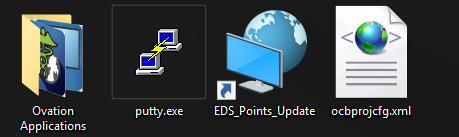
- On the Desktop of Drop 200 in Maxson there is a shortcut file called
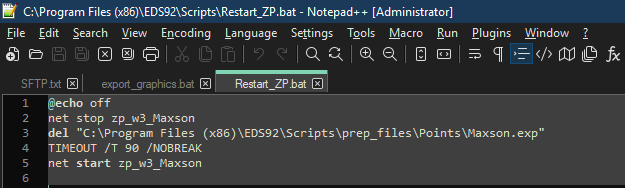
EDS_List_Points_Backup. This shortcut simply calls a BAT script at:C:\Program Files (x86)\EDS92\Scripts\Restart_ZP.bat.This BAT script updates the contents of:C:\Program Files (x86)\EDS92\Scripts\prep_files\Points\Maxson.exp - Once this has been run, you can get on the Maxson EDS and use the point import process above.
- This is expected to run everyday at like 11 PM
This didn't actually work on 2026 02-February 04.